Agent General Overview
This page displays all relevant information about an agent in an organized way. It is divided into three main sections.
1. Basic Summary of the Agent
At the top of the page, you will find a quick overview of the agent:
- Agent image
- Agent name
- Description
- HUMI and WAMI scores (with their status: Stable, Unstable, etc.)
- List of Warnings associated with the agent
- Profiles registered on the blockchain (Chain, Agent URI, Feedback Railway)
- Links to website or email (if registered in the metadata)
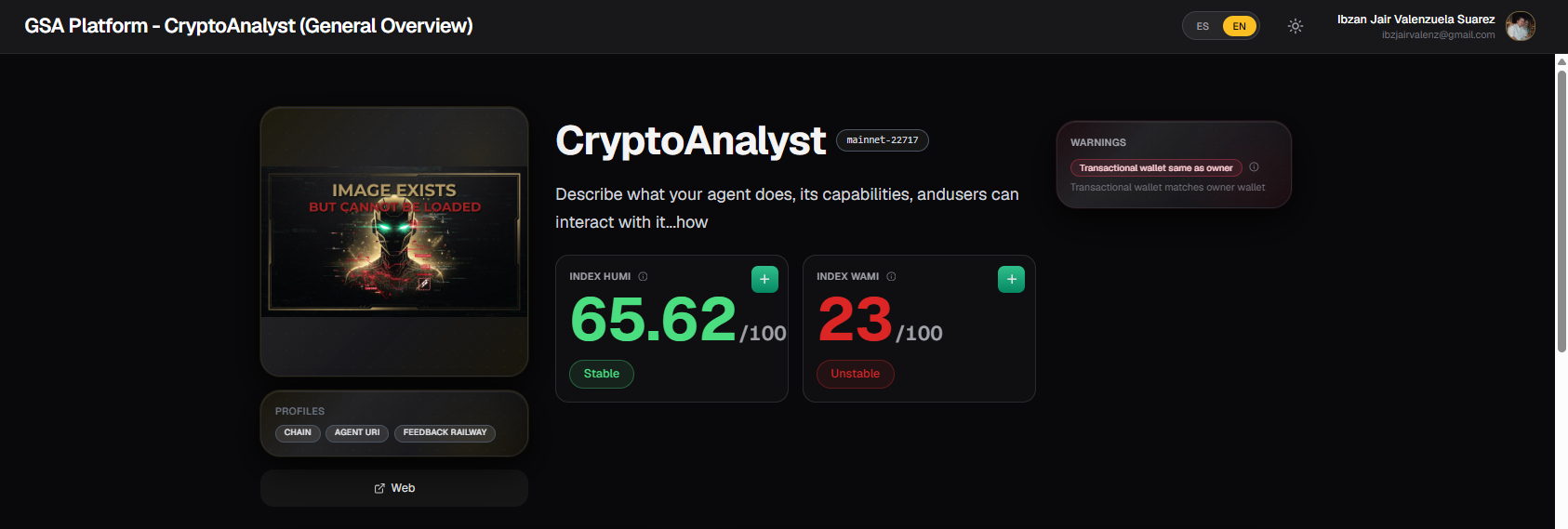
Note: You can find more details about the warning system in the Agent Warning System documentation.
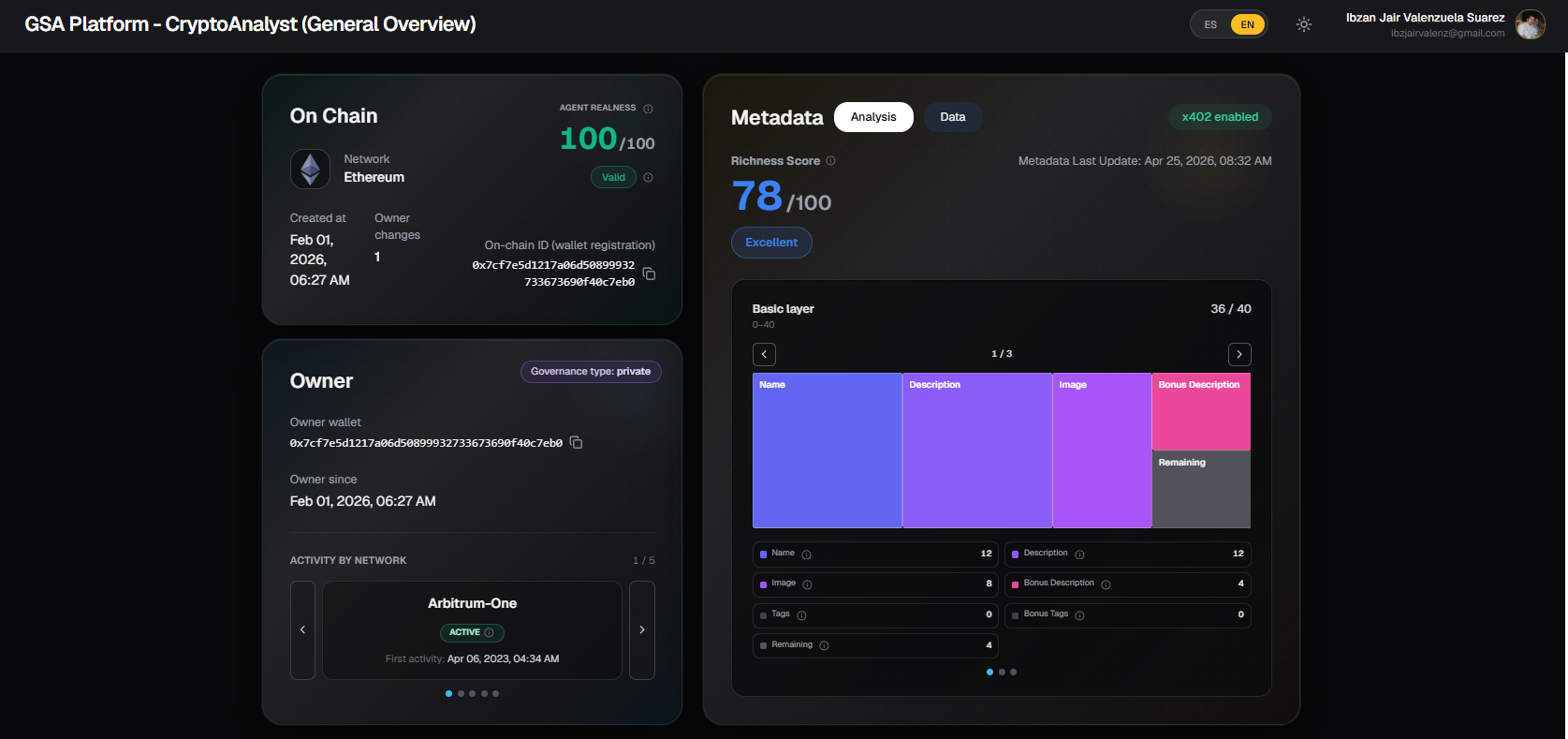
2. On-Chain Information and Metadata
This section is divided into three blocks:
On Chain
Displays information directly from the blockchain:
- Agent Realness Score (with status: Valid, Insufficient Info, etc.)
- Network where the agent is registered
- Creation date
- Wallet used during registration
- Number of owner changes
- On-chain ID (registration wallet ID)
Note: To better understand how an agent’s Realness is calculated, refer to the Agent Realness Analysis documentation.
Owner
Information about the agent’s owner:
- Owner wallet address
- Since when the wallet has been the owner
- Governance type (Private, DAO, etc.)
- Activity by network (owner’s activity history across different chains)
Metadata
Shows the analysis of the metadata registered by the agent:
- Richness Score (0–100) with its level (Excellent, Good, etc.)
- Last metadata update date
- Breakdown chart of the three metadata layers:
- Basic Layer
- Intermediate Layer
- Advanced Layer
Two tabs are available:
- Analysis: Analytical view with point breakdown per layer
- Data: Direct view of the raw metadata registered on-chain
Note: To understand in detail how the Metadata Richness Score is calculated, refer to the Metadata Richness Analysis documentation.
3. Transactional Wallet and Feedbacks
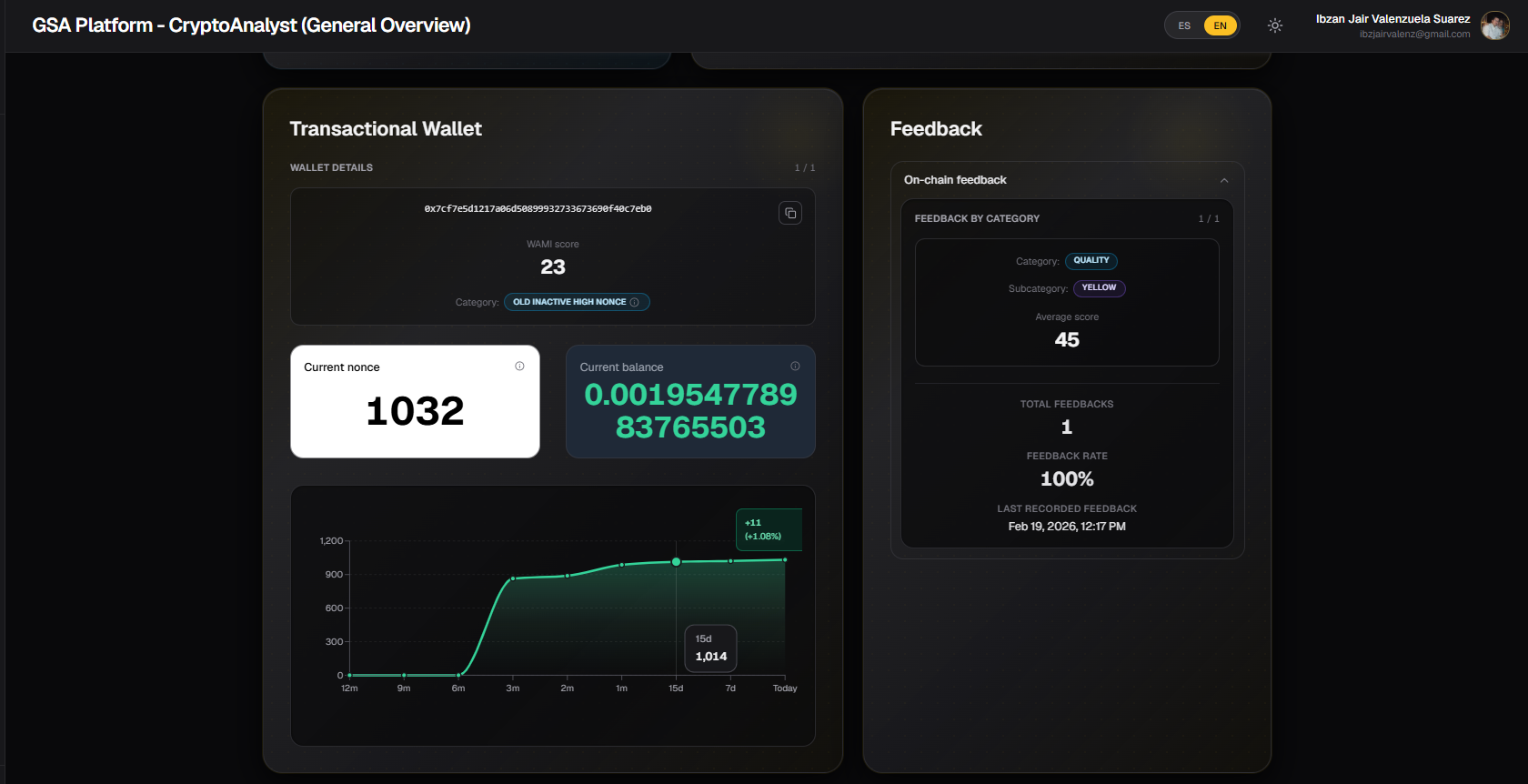
This section is divided into two columns:
Transactional Wallet
Shows the transactional wallets associated with the agent:
- Address of each transactional wallet
- WAMI score of each wallet
- Wallet category (e.g., Old Inactive High Nonce)
- Current nonce
- Current balance
- Wallet activity chart
Feedback
Displays the on-chain feedbacks registered for the agent:
- Feedback by category (Quality, Usefulness, etc.)
- Subcategories
- Average score per category
- Total feedbacks received
- Feedback rate
- Last recorded feedback
Feedbacks are classified according to the types defined in the Agent Feedback Types documentation.
Sidebar Behavior
Every time you access the detailed information of a new agent, it is automatically added to the Recent section in the left sidebar.
In the Recent agents section (and also in Favorites), clicking on the three dots (...) next to an agent allows you to:
- Close the agent information window
- Add the agent to Favorites (for quick future access)
Tip: Agents added to Favorites will remain in the sidebar even after closing the session, allowing you to access them quickly without searching again in the Agents Directory.
Usage Tips
- Always check the Warnings section first before interacting with an agent.
- Use the Analysis and Data tabs in Metadata depending on whether you need the analytical view or the raw data.
- The Transactional Wallet section is useful for evaluating the on-chain behavior of the agent and its owner.
- Feedbacks give you an idea of how other users perceive the quality and usefulness of the agent.
Last updated: June 2026