Agent WAMI Index
This page displays the breakdown of the WAMI Index (Wallet Advanced Metrics Index) for the transactional wallets associated with an agent. Unlike HUMI, WAMI evaluates the quality, health, and risk level of the wallets interacting with the agent.
1. General WAMI Overview
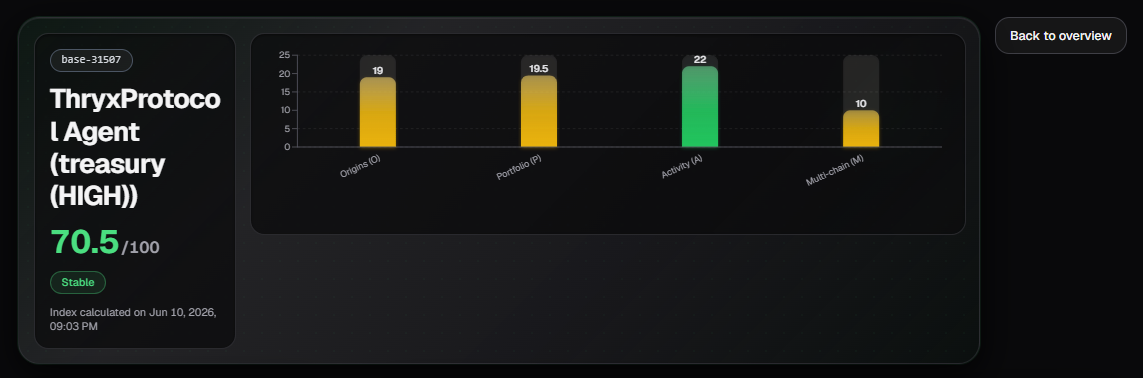
At the top of the page, you can see:
- The average WAMI Index score of the agent (considering all its transactional wallets).
- A bar chart showing the average score of each pillar across all transactional wallets associated with the agent.
The WAMI pillars are:
- Origins (O)
- Portfolio (P)
- Activity (A)
- Multi-chain (M)
This view gives you a quick overview of the overall health of the wallets interacting with the agent.
2. Wallet Selector
If the agent has multiple transactional wallets, a selector will appear allowing you to choose which wallet you want to analyze.
When you select a wallet, the rest of the sections on the page (Trend, Wallet Pillars, Pillar Details, etc.) will automatically update with the information corresponding to that specific wallet.
This is useful when an agent has multiple wallets with different behaviors.
3. Trend
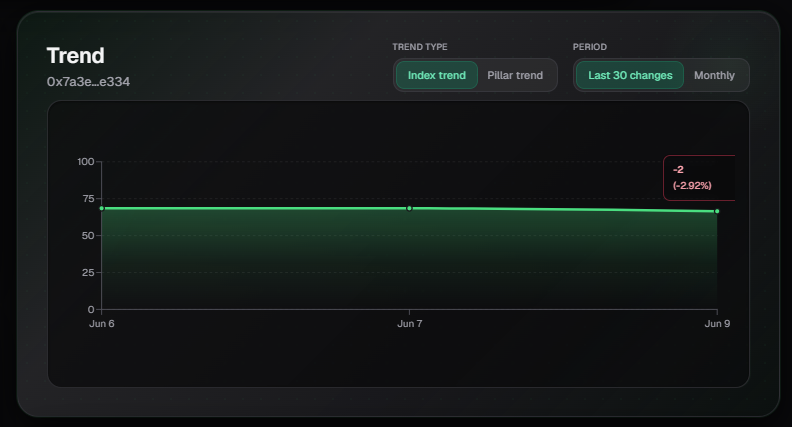
Shows the evolution of the WAMI Index for the selected wallet over time.
You can switch between:
- Index Trend: Evolution of the overall WAMI score.
- Pillar Trend: Evolution of a specific pillar.
- Last 30 changes
You can also filter by period (monthly, last 30 days, etc.).
4. Pillar Details
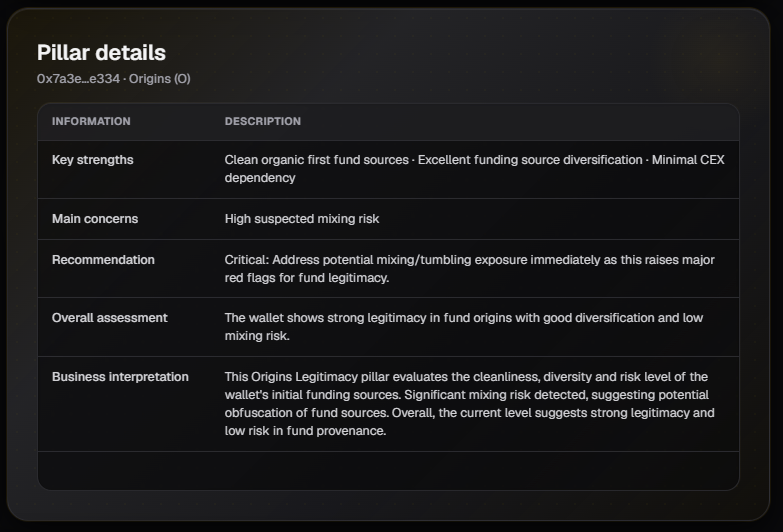
When you select a pillar, a detailed analysis is displayed, including:
- Key strengths: Most relevant positive aspects of the pillar.
- Main concerns: Weaknesses or risks detected.
- Recommendation: Specific suggestions to improve the score.
- Overall assessment: Summary of the pillar’s current state.
- Business Interpretation: Explanation in terms of risk and business value.
This section helps you understand why a pillar has a certain score and what actions can be taken to improve it.
5. Block Breakdown
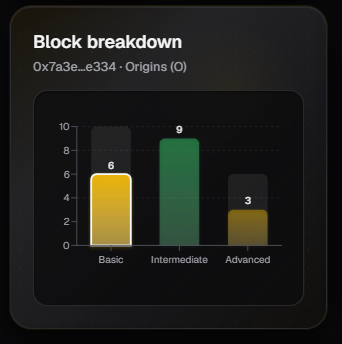
Shows how the score of the selected pillar is distributed across its three blocks:
- Basic
- Intermediate
- Advanced
This allows you to see the maturity level of the wallet within that specific pillar.
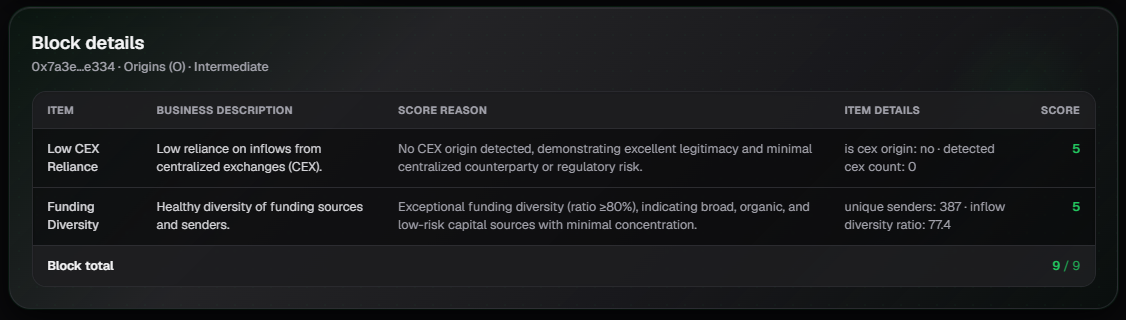
6. Block Details
This is the most detailed view. It shows a table with all the items evaluated inside the selected block.
Each row contains:
| Column | Description |
|---|---|
| Item | Name of the evaluated item |
| Business Description | Business-oriented explanation of what the item evaluates |
| Score Reason | Reason why that specific score was given |
| Item Details | Specific values used for the calculation |
| Score | Score obtained for that item |
This table is very useful for understanding exactly which factors are positively or negatively influencing the pillar’s score.
Usage Tips
- Use the General Overview to get a quick idea of the average health of all the agent’s wallets.
- If the agent has multiple wallets, use the Wallet Selector to analyze each one separately.
- The internal structure (Trend, Pillar Details, Block Breakdown, etc.) is very similar to HUMI, making it easier to analyze once you are familiar with the HUMI page.
- Pay special attention to the Activity pillar, as it is often one of the most relevant for evaluating a wallet’s real behavior.
- The Block Details section is the most useful when you need to understand the exact reason behind a low score.
Last updated: June 2026